Instruments and sound
There is no HUD — all flight information comes through instruments that actually hang on the control frame: two
variometers (a tablet and a separate “90s” display), a string on a wire for the airflow, and sound —
the variometer beep and the sounds of the flight itself. The tablet and the variometer sit on the lower
crossbar of the control frame (a clamp between the hands, turned toward the eyes); holding Q smoothly moves the gaze
to them, releasing returns it. The cases look worn: edge wear and dirt in recesses are baked into the model
vertices, the glass has scratches and smudges (configs/instruments.json → wear). In addition, in first person
a wristwatch (in-game time of day) is visible on the left hand and a liquid compass on the right (magnetic
declination is not modelled); both are toggled by the “Watch” and “Compass” checkboxes in settings.
Variometer
Vario (scripts/instruments/vario.gd) processes the glider’s vertical speed the same way a real instrument
does:
- Sensor inertia — a first-order filter with exact discretisation (independent of the
frame rate), time constant 0.7 s (
instruments.json); real instruments have 0.5–1 s. - Average — the change in altitude over a sliding 25 s window, divided by the window (an integrator, like real instruments); until the window is full, it uses what is already there.
- Quality — the distance covered over the ground divided by the altitude lost over a separate window; with no descent — “–”.
- The flight (time, takeoff point, distance covered, track) starts at liftoff and exceeding the minimum airspeed, not earlier.
The sound hears the same filtered value that the screen shows — the beep and the digits never disagree.
Tablet (FLIGHT page)
One flight computer at the centre of the basebar — a generic 6″ e-ink tablet (720×960, portrait, high-contrast monochrome, 10 Hz redraw, segmented-LCD style), not tied to any specific model. Five pages (keys 1–5 directly, Tab — next): FLIGHT (variometer scale ±5 m/s, average, quality, altitude, time, air/ground speed, heading), MAP (track, task cylinders, auto-scale; thermals are not shown — this is an honest instrument, not a hint), WIND (wind rose, required glide ratio and arrival altitude at the goal), TASK (list of waypoints, race status, variometer sound settings), THERMAL (thermal-centring assistant).
The centring assistant uses only what the instrument sees — the filtered variometer and heading, with no access to the “real” atmosphere: circling is detected from the smoothed turn rate (≥ 8°/s for at least 4 s), readings are assigned to the heading from one sensor-lag back (otherwise the strong side of the thermal “drifts” around the circle), and the first harmonic over 36 sectors across 1.5 circles gives the side and strength of the lift asymmetry.
The wind estimate also comes only from data available to a real instrument: from full turns (GPS ground-speed vectors lie on a circle whose radius is the airspeed and whose centre is the wind vector, least squares) and from straight segments (ground speed minus airspeed along the heading, 40 s smoothing, mixed in with a lower weight). An estimate older than 10 minutes is marked as missing.
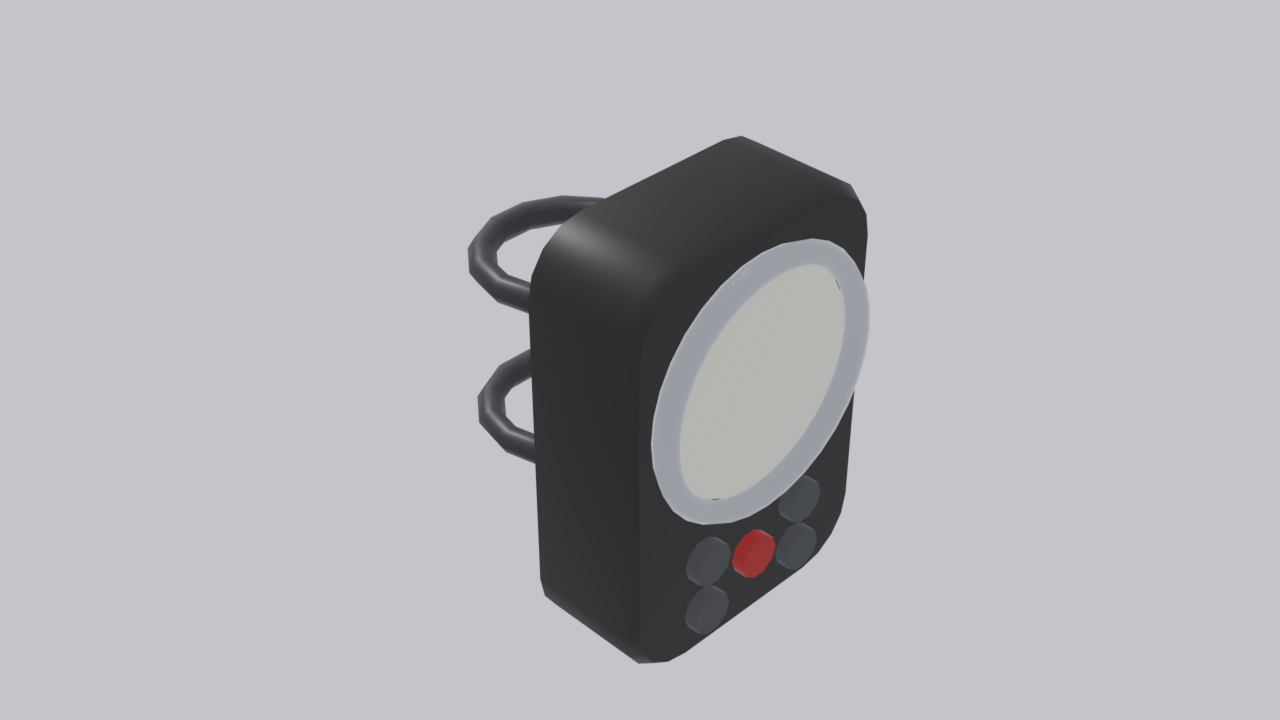
1990s variometer
A separate instrument next to the tablet on the lower crossbar (VarioDisplay90s, scenes/instruments/vario_90s.tscn) —
a generic design not tied to a specific brand: an unlit segmented LCD, a ±5 m/s arc with zero
at the top, large altitude at the bottom, average and time at the sides. Its sensor is slower than the tablet’s (τ 1 s,
20 s average) — like the simple instruments of that era.
Sound — “90s” synthesis
The synthesis is pure maths in VarioSynth (scripts/audio/vario_synth.gd), and sounds the same regardless of the
frame rate and the audio buffer slicing (verified bit for bit by a test); the VarioAudio node only tops up
the AudioStreamGenerator buffer.
The research (docs/research/vario_sounds.md (in Russian)) confirmed, from the Flytec and Brauniger
manuals, the general scheme of instruments of that era: as the climb rate grows, both the pitch and the
beep repetition rate grow, and sink sounds as a separate continuous tone. A specific instrument model
was deliberately not chosen (the decision is not to tie it to a brand), so the classic_90s preset is generic:
- beep 700 Hz (0.1 m/s) → 2000 Hz (10 m/s), 2.1 → 11 beeps per second (period 480 → 90 ms), duty cycle 50%;
- timbre — a square wave (odd harmonics, like the square signal of a piezo buzzer) plus a piezo resonance around 3.2 kHz — this is an engineering estimate of typical properties of piezo beepers of the era, not data from a single instrument;
- sink tone 650 → 380 Hz.
For comparison there is a modern xctracer preset — from the tone table of the real XC Tracer manual
(0.1 m/s → 400 Hz/1.7 beeps·s⁻¹ … 10 m/s → 1800 Hz/6.7 beeps·s⁻¹, the duty cycle grows from 50% to 70%); the preset is chosen on the TASK page of the tablet.
Between table points — linear interpolation; sink below −2.5 m/s — a continuous 400→220 Hz tone (−2.5 → −10 m/s);
between the thresholds — silence, hysteresis 0.05 m/s.
So that the beep does not click at buffer joins: the generator phase is continuous between calls, the beep envelope is
a linear attack plus smoothing (smoothstep): 2/3 ms for classic_90s, 6/8 ms for xctracer; the frequency glides
with a 10 ms time constant (xctracer — 30 ms), and the period and duty cycle are fixed at the start of each beep.
xctracer raises the tone slightly within a beep (chirp, 4%); classic_90s stays flat. The switch-on thresholds
(climb from 0.1 m/s, sink from −2.5 m/s) and the volume are shared by the presets. On the test bench: 0 buffer
underruns at 165, 60, 30 and even 12 frames per second.
The string on the control frame wire
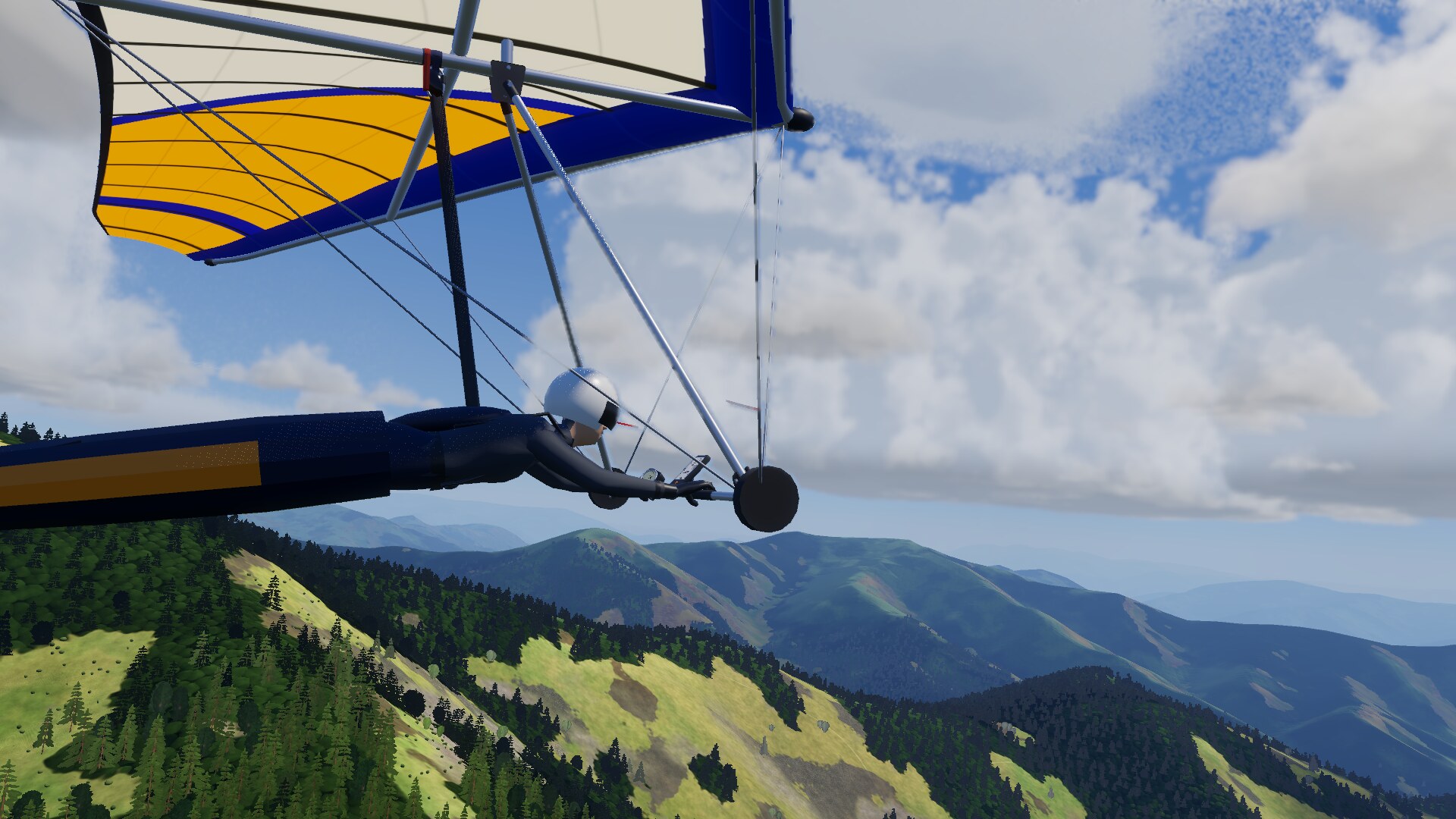
The yaw string is the simplest instrument: it shows the airflow at the wing, without any hints, just an object in the world, as with real pilots. At the request of the consultant pilot — saturated red, with a slight glow (fluorescent fabric is visible even in shade), attached to the front wire of the control frame (originally it was on the side one, moved after feedback).
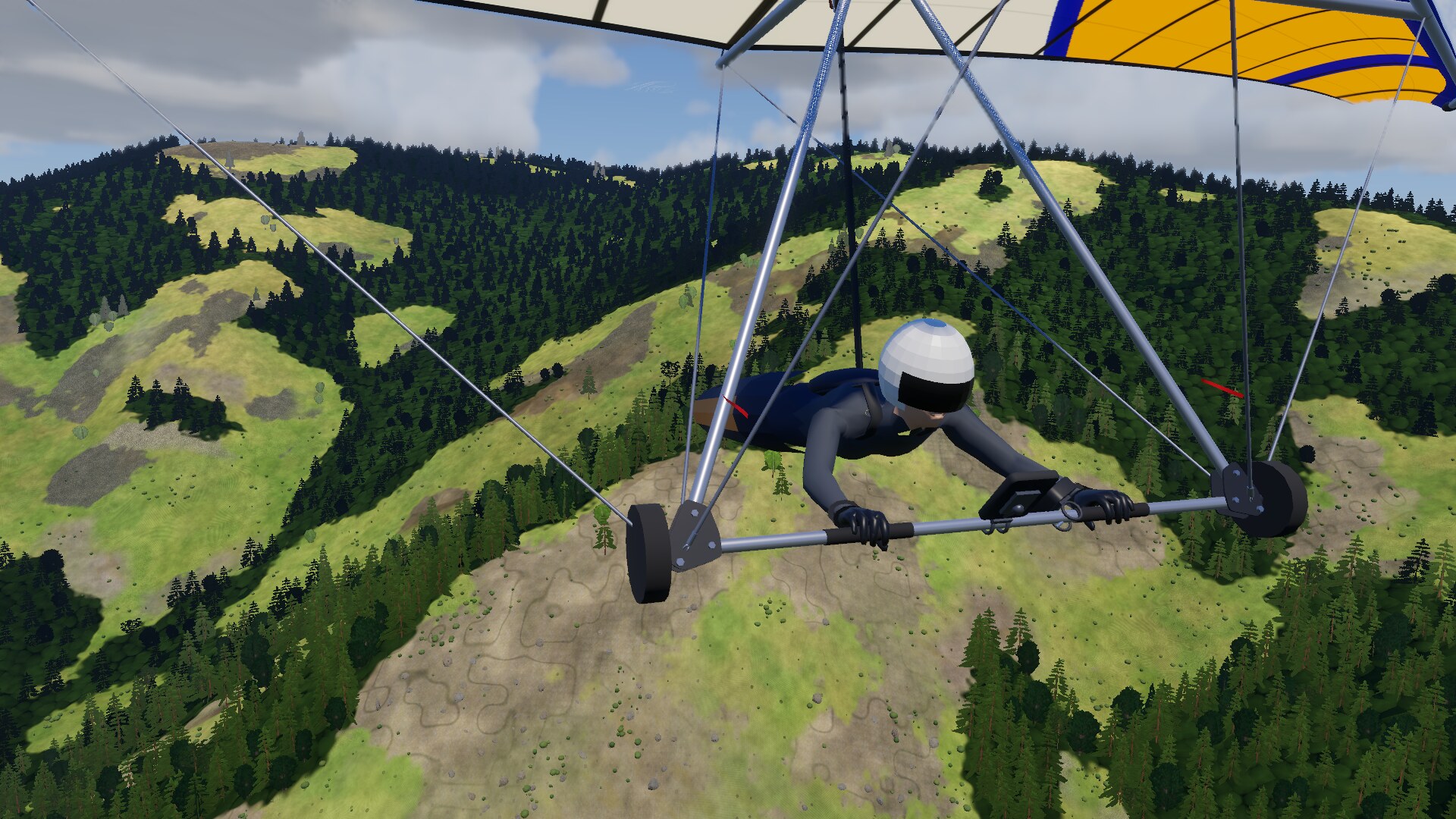
The attachment point is found from the geometry of the 3D wing model without a single hard-coded coordinate
(Telltale.find_anchor): either from the TelltaleL/TelltaleR empties in the model, or from the “Wire” material of
the control frame mesh: each wire is a separate tube, and the knot sits on the axis of the front wire at a set fraction of
the control frame height — this works for all wings of the model generator. The string is drawn as a satin ribbon
looped around the wire, with a smooth bend and a frayed end.
Physics (TelltaleModel, an ordinary testable class): the flow at the attachment point = the wind at that point minus the
glider’s velocity, corrected for rotation over the step. The string is a chain of links; each link tends toward
equilibrium between the drag of the fabric (proportional to the square of the ratio of the flow to the “flow at which the
string deflects by 45°”) and its own weight, and with no flow it hangs down; the relaxation toward equilibrium is an
unconditionally stable exponential. The tail trails the previous link, with a travelling flutter wave on top, with
amplitude and frequency growing with the flow strength.
Training layers F1–F7
These are not instruments on the control frame but aids for learning to read the air (and for the author when debugging): you can switch on layers on top of the game that show what a pilot cannot see in real life. Each has its own key (press again to switch off; a layer that is off computes and draws nothing and does not affect the frame rate). A small hint at the top of the screen lists the keys of the layers that are currently off. The keys can be remapped in the controls settings file; they are not shown on the “Controls” screen.
| Key | What you see | What it is good for |
|---|---|---|
| F1 | text at the top left: frames per second, frame time, GPU and CPU load, object count and video memory | finding out why the game is slow: GPU, CPU or monitor refresh rate is the limit |
| F2 | detailed menu with performance graphs (created on first press) | the same, in more detail; not shown in the top hint |
| F3 | grid of wind arrows over the terrain at three heights: colour is lift (red) or sink (blue) | seeing where a slope works and where air goes down behind a ridge |
| F5 | wind arrows around the camera at 20, 100 and 300 m above ground (radius 1000 m, 75 m spacing), arrow length is the distance covered in 6 s; a large arrow above the pilot shows the air at the pilot’s position | reading wind direction and strength at a slope before reaching it |
| F6 | tilted thermal columns from source to top; label is the lift in m/s | knowing where the nearest thermals are and which way they drift (up to 8 km from the pilot) |
| F7 | terrain around the pilot (4 km radius) shaded by surface heat flux H, W/m², scale at the left: 0 is transparent blue, ~200 yellow, 400 and above red | understanding where thermals come from: they start over heated ground |
F7 in more detail. This is an input of the air model: how much heat the surface gives off at the moment. It is not a measured temperature and not a map of actual thermals. The map comes from the coarsest grid of the model, so small patches (a single field, a house) are not there; it is rebuilt as the day goes on and when the pilot moves away from the centre. At 300 W/m² and above the model removes the lee rotor (see turbulence and rotor), and thermals follow from the same flux (thermals). The F7 layer only shows; it adds nothing to the flight. Details are in the CHANGELOG (build 1.5.19) and in the cameras and input guide (in Russian), which describes layers F1-F6.
Other instruments
The carabiner, the clip-in sound and the variometer body are part of the common control frame assembly; the instrument mount is set by
the named empty InstrumentMount on the wing model (node contract — docs/guide/models.md (in Russian)).
If there is no instrument model file, a placeholder made of primitives with the same node names is used, just as for
the wings.
Flight sounds
FlightAudio (scripts/audio/flight_audio.gd, logic — FlightSoundMix) assembles several layers on three
audio buses (Wind, Effects, Ambient; the variometer goes separately, on the Vario bus); volume and parameters are in configs/audio.json.
| Layer | Source | What it depends on |
|---|---|---|
| Airflow noise, buffeting at the ears, aeolian tones of the wires | procedural synthesis (periodic loops, Strouhal physics: frequency ∝ V, power ∝ V⁵…⁶) | airspeed V, pitch of synthetic “wires” of different diameters |
| Wind in the ears / high-speed flow | CC0 recordings from freesound.org | crossfade by speed: “in the ears” at 5–20 and 35–50 km/h, “high-speed” at 55–80 km/h |
| Sail hum, trailing-edge flutter, claps at the stall | a recording of a taut sail in the wind + separate claps | dynamic pressure and load factor; claps are a Poisson stream, rate ∝ the square of the stall |
| Frame creaks | a recording of wire/line friction under load | sharp changes in load factor and turbulence, in flight only |
| Footsteps, breathing, panting | recordings of footsteps on grass/gravel + breathing | stride length / ground speed; breathing builds up over 4 s of running, panting after stopping |
| Landing | recordings of falling on grass/ground + a hit on an aluminium tube | landing grade (soft/hard/crash), volume ∝ vertical speed |
| Meadow, birds, grass, gusts, bells | recordings of a mountain meadow | height above the ground (20–150 m, bells — 50–400 m), wind at the ground |
| Menu and settings background | mountain wind with gusts and a distant call of a bird of prey every 20–60 s | outside flight only; fades out at launch |
All sounds are CC0 or CC-BY 4.0 (with authors credited in the credits) from freesound.org and Kenney, the selection and rationale for each file — docs/research/sounds.md (in Russian). The volume is smoothed (0.2 s), the low-pass filter on the Wind bus opens with speed (cutoff 800 + 60·V Hz), and the panning shifts with the sideslip angle.
Model limits
- In the player’s “Pendulum” physics sideslip arises on its own and the string shows it. A known error: in a
steady turn of about 30° the string deflects up to 12° inward, while the consultant pilot says that in a turn
the string points straight back (docs/guide/flight/pendulum.md, “Model limits”). In the bots’ model (
FlightModel, direct roll commands) the flight is without sideslip (the heading follows the airspeed exactly), so in a steady turn the string points straight back — it responds only to the entry into bank (rotation of the attachment point) and to the difference between the wind at the attachment point and at the centre of the wing (turbulence); sideslip was not added to those models for the sake of a single string. Bots have no strings. - The 90s variometer and its sound are a generic image of the era based on the manuals of several instruments (Flytec, Brauniger), not a copy of a specific model; the piezo beeper timbre is an engineering reconstruction, not a measurement of a real instrument.
- The glide path (WIND page) is computed along a straight line as “distance / (altitude − 150 m reserve)”, without wind and the polar (MacCready): with a head or tail wind the instrument’s required glide ratio is inexact.
- The flight sounds are a hybrid of ready-made recordings and procedural synthesis; the synthetic version is needed precisely because wind recordings stretched in pitch over the whole 20–90 km/h range sound unnaturally the same at different speeds.
Options considered
- Ready-made variometer models (generative sound synthesis, tied to a specific instrument) did not fit: the decision is a generic design and a generic sound of the era, with no brands or logos.
- For wind sounds, generative audio models (Stable Audio Open, AudioLDM 2) were considered — rejected: the first requires an access token that was not available, the second is under the non-commercial CC-BY-NC-SA licence, incompatible with open distribution of the game; besides, a ready-made recording cannot be smoothly changed by speed in real time, which procedural synthesis requires.
- Paid sound libraries (Sonniss GDC, ZapSplat, Pixabay) were rejected over licensing: either the source files cannot be distributed in an open repository separately from the game, or a login/payment is needed.
- The string first hung on the side wire — moved to the front wire after a pilot’s feedback, closer to the centre of the field of view.
More details
- docs/guide/instruments.md (in Russian) — full description of the instruments, API, tablet pages, tests and test bench.
- docs/guide/telltale.md (in Russian) — the string’s design, physics, verification.
- docs/research/vario_sounds.md (in Russian) — sources on the sound of variometers of the era.
- docs/research/sounds.md (in Russian) — sources of flight sounds, licences, synthesis algorithms.
- Code: vario.gd, vario_synth.gd,
flight_audio.gd, the string — in
scripts/instruments/(Telltale,TelltaleModel).